
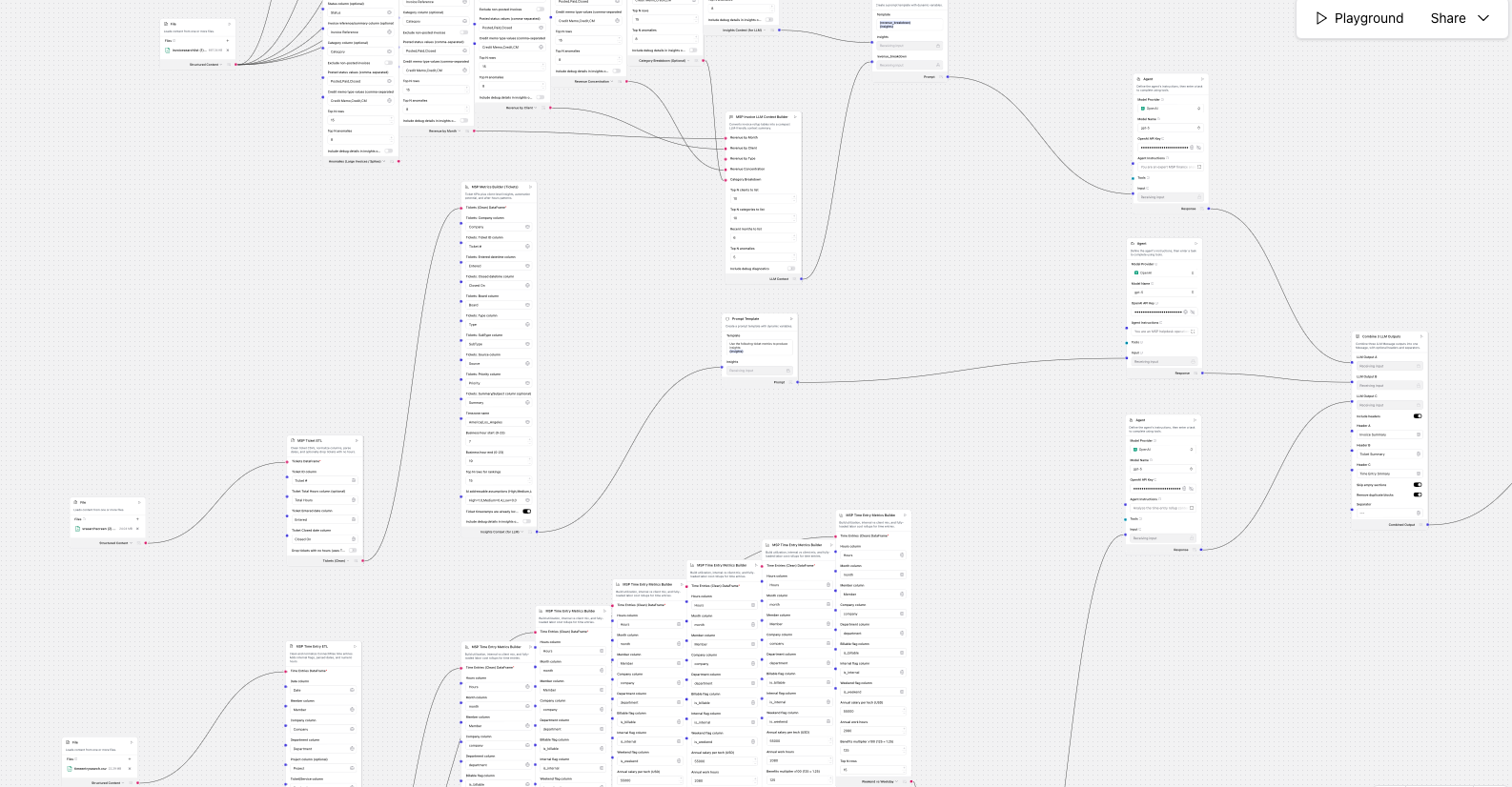


MSPs already have the data they need to run a sharper business. It’s just trapped in exports that are messy, inconsistent, and hard to turn into clear actions. This Langflow is designed to take what you already have, normalize it, and produce an operating snapshot you can actually use: revenue clarity, service delivery health, and where time is going.
It’s not a BI project. It’s a repeatable workflow you can run monthly or weekly.
What it ingests
This flow typically ingests three “every MSP has this” datasets:
1) Invoices (finance reality)
A year of invoice exports from your PSA, usually with fields like invoice date, client, invoice type (agreement vs standard), invoice total, product and service totals, category tags, and references.
2) Tickets (demand reality)
A helpdesk ticket export including entered and closed timestamps (or at least entered), client, and whatever classification fields you have (board, type, subtype, source, priority). Even if your data is imperfect, it can still show demand patterns and service friction.
3) Time entries (labor reality)
Technician time logs across the same period. Ideally you have technician name, client, hours, date, and a billable or internal flag. This is the dataset that connects service delivery to cost and capacity.
You upload CSVs, the flow handles the parsing and normalization, then outputs a set of small tables plus a plain-English summary.
What it builds from the invoice data
The invoice portion answers the questions MSP leaders usually ask in QBRs and internal planning, but rarely have time to compute:
Revenue mix and stability
- How much revenue is recurring versus non-recurring
- Whether volatility is driven by invoice count or invoice value
- Whether product and service totals behave consistently over time
Client concentration and exposure
- How dependent you are on your top accounts
- “What if we lost top 1/top 3” scenario framing
- A shortlist of accounts that deserve renewal attention, QBR cadence, or diversification planning
Seasonality and spikes
- Which months were unusually high or low
- Whether spikes are one-off events that should be excluded from run-rate forecasting
- A clean separation between recurring run-rate and variable add-ons
Data quality and reconciliation checks
This is a huge one for MSPs. PSA exports often contain mis-tagged categories, internal charges mixed into revenue, or credit memo conventions that invert signs. The flow flags:
- Gaps in categorization
- Revenue components that don’t reconcile
- Patterns that suggest mapping or tagging issues that will distort mix, MRR, and forecasting
Outcome: you can trust your revenue story, or at least know exactly what needs fixing before you trust it.
What it builds from the ticket data
Tickets are the best proxy for customer friction and operational load. The flow focuses on the metrics that change staffing and process decisions:
Backlog and closure health
- How much is closing versus accumulating
- Whether the service desk is keeping up or slipping
Resolution time distribution
- Median response is not enough, the long tail matters
- The flow highlights p75/p90/p95 style “how bad does it get” so you can spot chronic aging work
After-hours demand
- How much demand arrives outside business hours
- Which clients appear to generate disproportionate off-hours load
- A clear signal for on-call policy, deflection, or “always-on” coverage strategy
Where automation is realistic
Without pretending everything can be automated, the flow estimates which work tends to be repeatable versus inherently human-led, based on patterns you can improve over time as your taxonomy gets better (boards, types, subtypes, request classes, and so on).
Outcome: you get a focused list of operational problems to fix first, and where AI copilots or self-service can realistically reduce load.
What it builds from time entries
Time entries are usually used for billing, but they’re also your best tool for understanding capacity and delivery risk.
This flow converts time logs into:
- Utilization and internal overhead
- Workload balance across technicians
- Where internal time is accumulating (admin, internal support, projects)
- Weekend and after-hours exposure that can indicate burnout risk or process debt
- Cost framing using an assumed fully-loaded rate, so hours become dollars
Outcome: you can see whether you’re constrained by staffing, by process inefficiency, or by internal overhead, and you can pick the highest-leverage fix.
What it ultimately informs
When you run the full flow, you get a single operating snapshot that informs:
Finance and forecasting
- True recurring run-rate
- Non-recurring volatility drivers
- Concentration exposure and mitigation priorities
Service delivery strategy
- Backlog and long-tail work that needs triage
- After-hours demand that needs deflection or coverage
- Client-specific patterns worth addressing with runbooks or proactive work
Operations and staffing
- Whether utilization is healthy
- Whether internal time is too high
Whether work is unevenly distributed across the team - Where process improvements or AI copilots can create measurable leverage
Why this approach works for MSPs
Most MSPs don’t need another dashboard. They need a repeatable, low-effort way to turn exports into decisions. Langflow is a great fit because it lets you:
- ingest CSVs,
- normalize and validate the data,
- compute consistent rollups,
- and generate a narrative summary that leadership can act on.
Next, I’ll walk through exactly how to build the flow, the key components, and how to structure the outputs so the analysis stays accurate and auditable.
How to do this:
First we generate the three csvs from within ConnectWise PSA:
Tickets:
- Service Desk > Service Ticket Search
- Entered > Custom window (or whatever you want insights on)
- Export (requires admin or permissions to do so)
Time Entry
- Time and Expense > Time Entry Search
- Date > Custom window (or whatever you want insights on)
- Export
Finance
- Finance
- Invoice Search
- Date > Custom window (or whatever you want insights on)
Next, download this langlow template: Invoice, Tickets, and Time Lanflow JSON
Download langlow https://docs.langflow.org/get-started-installation#install-and-run-langflow-desktop
Upload the newly downloaded flow
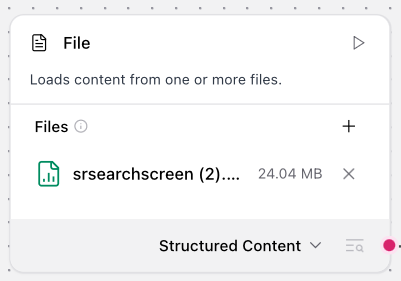
Wire in your downloaded / exported csvs into the langlow.
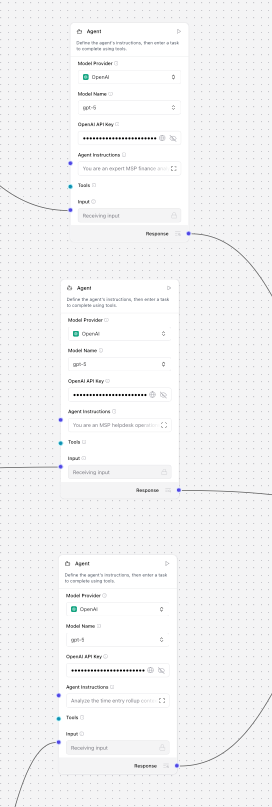
Add in your API keys from OpenAI in three places.
The final step is uploading this raw output into a platform like gamma.app to create clean visuals for distribution.
I take the output, place in raw text and ask gamma to create three cards. Here is an example output. Example Gamma Output
If you’re starting the AI journey as an MSP, the hardest part is not choosing a model, it’s getting consistent outcomes inside the workflows your techs already live in. That’s where Junto fits. Junto acts as a helpdesk command center that pulls the right context from your PSA and the rest of your stack, then turns it into technician-approved actions and guided next steps, with everything written back to the source of truth. It helps you move from “AI experiments” to reliable execution, so your team stays in control, your processes stay consistent across clients, and you can deliver faster resolution without trying to automate the entire world on day one.